
Useful
No hot water

Home > Useful stuff > No hot water

No hot water

1)

No hot water

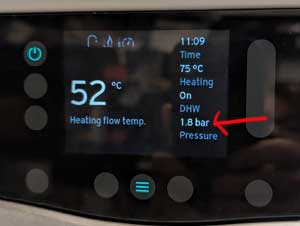
Check the boiler. The bar pressure number should be between 1.0 and 1.8.
If it is lower see step 2.
If it is ok see step 3.

2)
No hot water

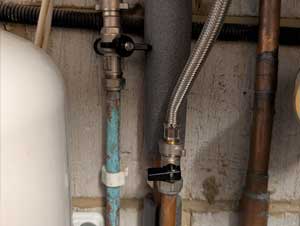
Under the boiler there are two taps. Turn one one, then slowly turn the other one until the pressure bar on the boiler is no more than 1.8 (try not to go over but don't worry if it does).
Turn both taps off.

3)
No hot water

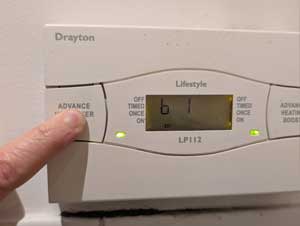
To boost the hot water for an hour hold down the Advance Hot Water Boost button until it says b 1.
It will heat the water for an hour then turn off.


Looking after Kimi
Useful
Looking after Kimi

Home > Useful stuff > Looking after Kimi

Looking after Kimi

Looking after Kimi

Ingredients:

Lots of love ❤️

Breakfast 7 am

She will wait until later to have breakfast but this is her ideal time to have it.

1)

Kimi

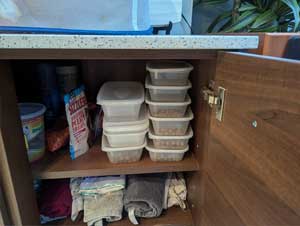
Get her daily box of food out of the cupboard which is below the fruit bowl. All of her things are here on the top shelf.

2)

Kimi

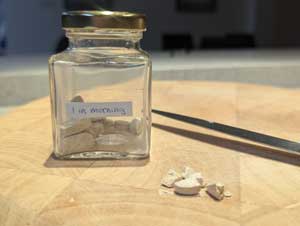
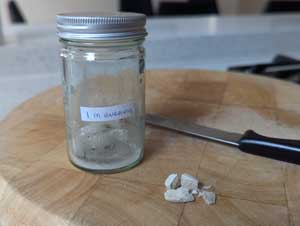
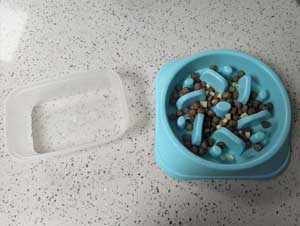
Break up one morning tablet from the jar with the gold lid and add this to her bowl.

3)

Kimi

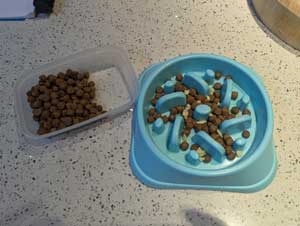
Give her one third of her biscuits plus a little cheese.

4)

Kimi

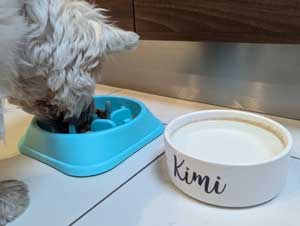
Fill her water bowl up with fresh water.

5)

Kimi

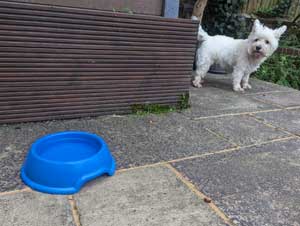
Empty her bowl outside onto the plants and fill up with fresh drinking water.

Morning walk

Or any time you are free.

1)

Kimi

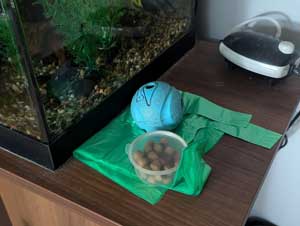
Poo bags, ball & treats are near the fish tank. Make sure you take these. The treats are useful if you need to get her to move!

2)

Kimi

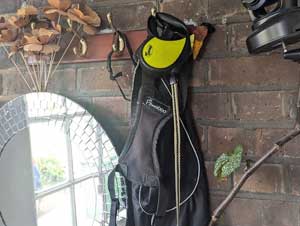
Her lead and harness are hanging up in the porch.

3)

Kimi

Take her down the cut, around Sunbury Park (but just tell her 'ah' if she goes near cow poo) or put her in the car and take her to the island so somewhere else. There is a spare seatbelt in the top drawer in the porch.

Lunch 12 pm

She may start asking for food earlier but make her wait until 12 pm at the earliest.

1)

Kimi

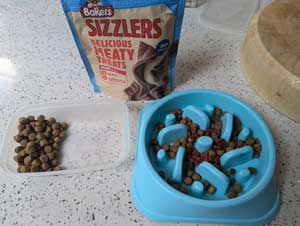
Give her one third of her biscuits plus a little cheese or breakup some of her bacon treats on top.

Dinner 5 pm

She will start to get more vocal around 4/4.30 pm because she wants to eat. Distract her by playing or going in the garden, but make her wait until 5 pm before feeding.

1)

Kimi

Break up one evening tablet from the jar with the silver lid and add this to her bowl.

2)

Kimi

Give her the last third of her biscuits plus a little cheese.

3)

Kimi

An hour or an hour and a half later she will start to bother you again. It's time for a treat. Give her one of her treats. Anything pictured here (in the cupboard) but in the summer months she has the anti-itch treats. If you want treat her later as well you can, just not too much.

4)

Kimi

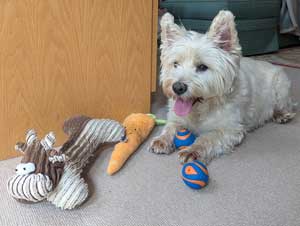
At the end of the day, before you go to bed, check that Squeeky, Carrot and her favourite little balls (x2) are indoors. And of course Kimi!

Upset tummy

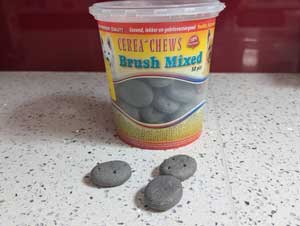
KimiIf Kimi has an upset tummy, she doesn't seem to want her food and you can hear her tummy gurgling then give her a charcoal biscuit.
They are in her cupboard. You might have to break it up and feed it to her in small pieces. If she hasn't got any better you can give her another one. They are safe, she can have as many as she needs.

Useful
How to operate the TV

Home > Useful stuff > How to operate the TV

How to operate the TV

Tip:

TV tip

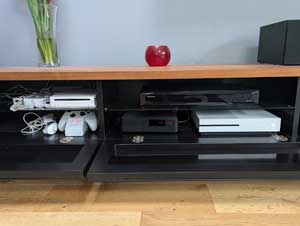
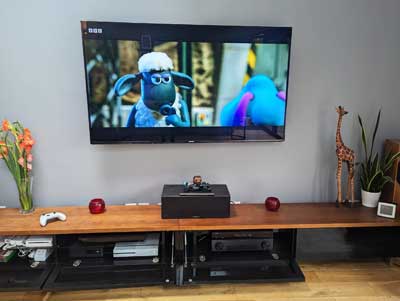
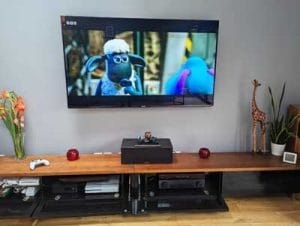
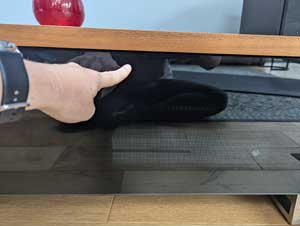
To open and shut the cupboard below the TV press the top of the glass door in.

Virgin TV

1)

Using Virgin TV

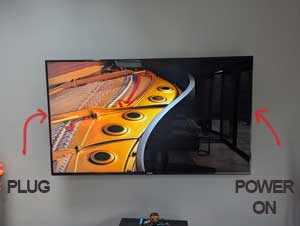
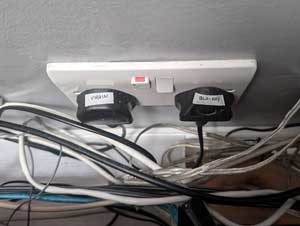
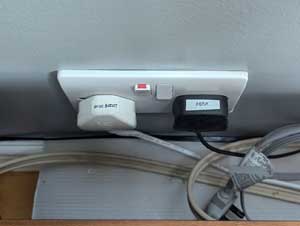
Switch the TV on. The power on is located on the right of the TV. If it doesn't come on switch the plug on at the wall which is behind the TV on the left.

2)

Using Virgin TV

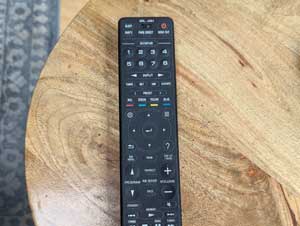
Press 1 on the amp remote just under where it says scene. You should hear the amp click on.

3)

Using Virgin TV

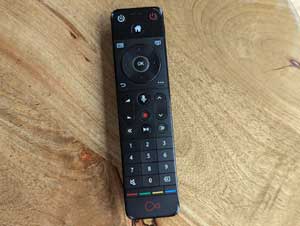
Press the red power on button on the Virgin remote (top right).

Firestick F1/Films/Series

1)

Using Virgin TV

Switch the TV on. The power on is located on the right of the TV. If it doesn't come on switch the plug on at the wall which is behind the TV on the left.

2)

Using Virgin TV

Press 2 on the amp remote just under where it says scene. You should hear the amp click on.

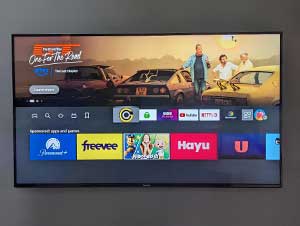
3)

Using Firestick TV

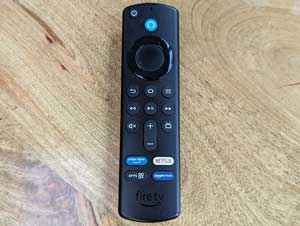
The Firestick should turn on automatically. This is the remote to use to go through the menus.

4)

Using Firestick TV

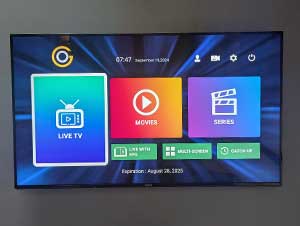
Open the TV app (rainbowed TV icon). Use this for live sports and F1.

5)

Using Firestick TV

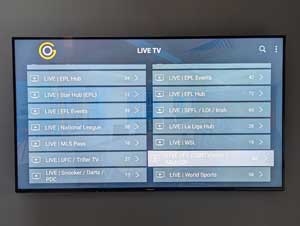
Select 'Favourites' for our saved channels such as F1

6)

Using Firestick TV

Or click on 'Groups' to see all the different groups of channels.

BluRay/DVD Player & 3D Films

1)

Using Virgin TV

Switch the TV on. The power on is located on the right of the TV. If it doesn't come on switch the plug on at the wall which is behind the TV on the left.

2)

Using Virgin TV

Press 3 on the amp remote just under where it says scene. You should hear the amp click on.

3)

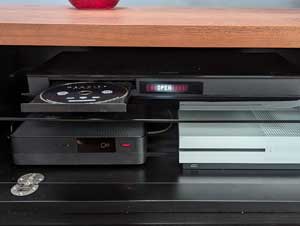
Using BluRay player

Check that the BluRay Player is switched on at the wall (behind the tv unit).

4)

Using BluRay player

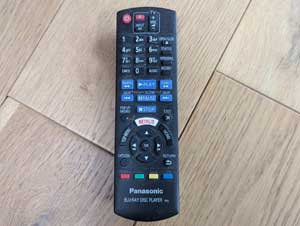
Open the TV cabinet (2nd from the left), press the power on button on the BluRay Player remote (top left corner).

5)

Using BluRay player

To open the BluRay Player disc tray press the open/close button on the remote (next to the number 3). Insert disc and press open/close.

6)

Using BluRay player

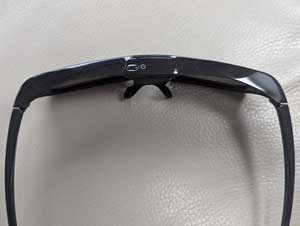
To use the 3D glasses, hold down the power on button at the top of the glasses.

7)

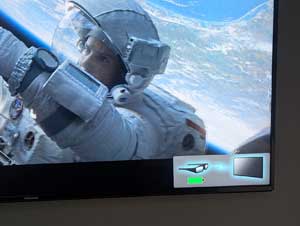
Using BluRay player

A confirmation image should appear at the bottom right hand corner of the TV screen to show that the glasses are on. Make sure to turn them off when finished.

8)

Using BluRay player

To return to the main disc menu whist watching a film, press TOP MENU on the remote.

Xbox One

1)

Using Virgin TV

Switch the TV on. The power on is located on the right of the TV. If it doesn't come on switch the plug on at the wall which is behind the TV on the left.

2)

Using Virgin TV

Press 4 on the amp remote just under where it says scene. You should hear the amp click on.

3)

Using the Xbox

Check that the Xbox is switched on at the wall (behind the tv unit).

4)

Using the Xbox

The Xbox, controllers and games are all in the first and second cabinets from the left.

Subwoofer

1)

Using the subwoofer

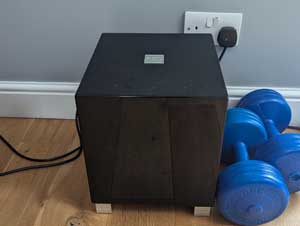
Switch the subwoofer on by flicking a switch at back of the subwoofer in the bottom left corner.

Problems

Sound is not working = Turn off the amp from the amp remote control and switch back on again.